-
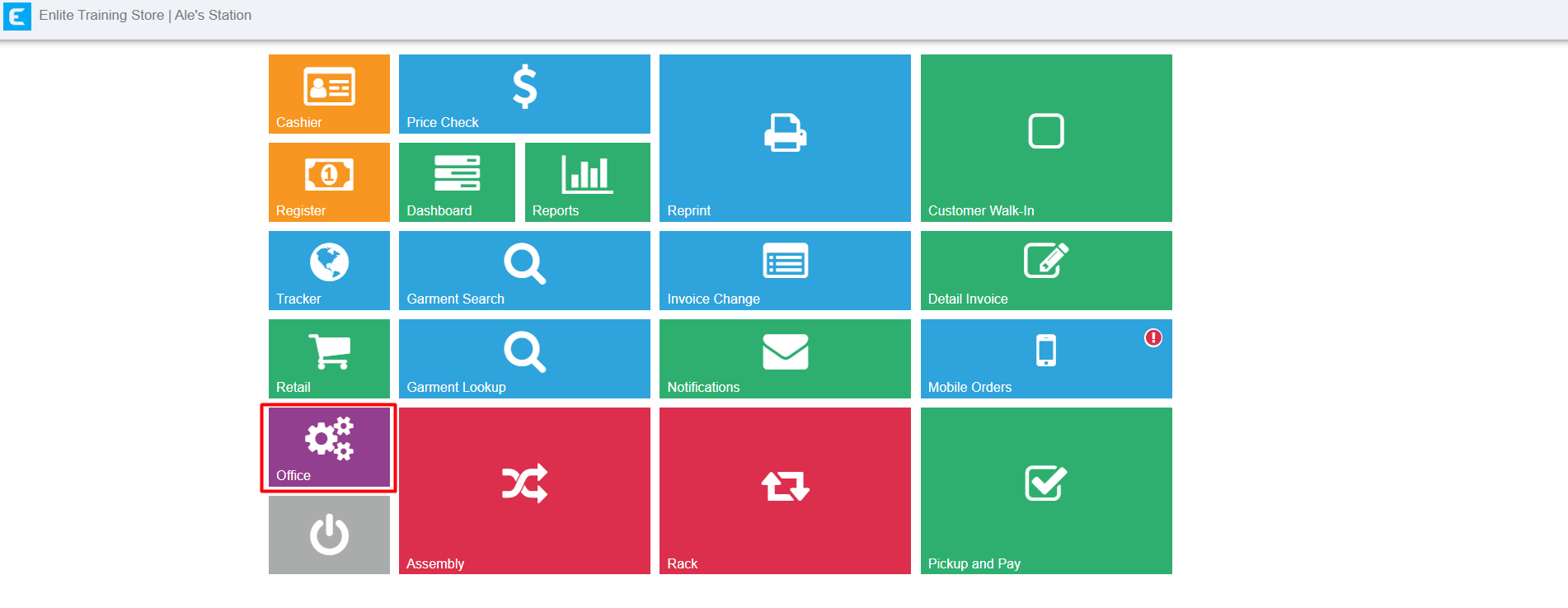
Go to Back Office
-
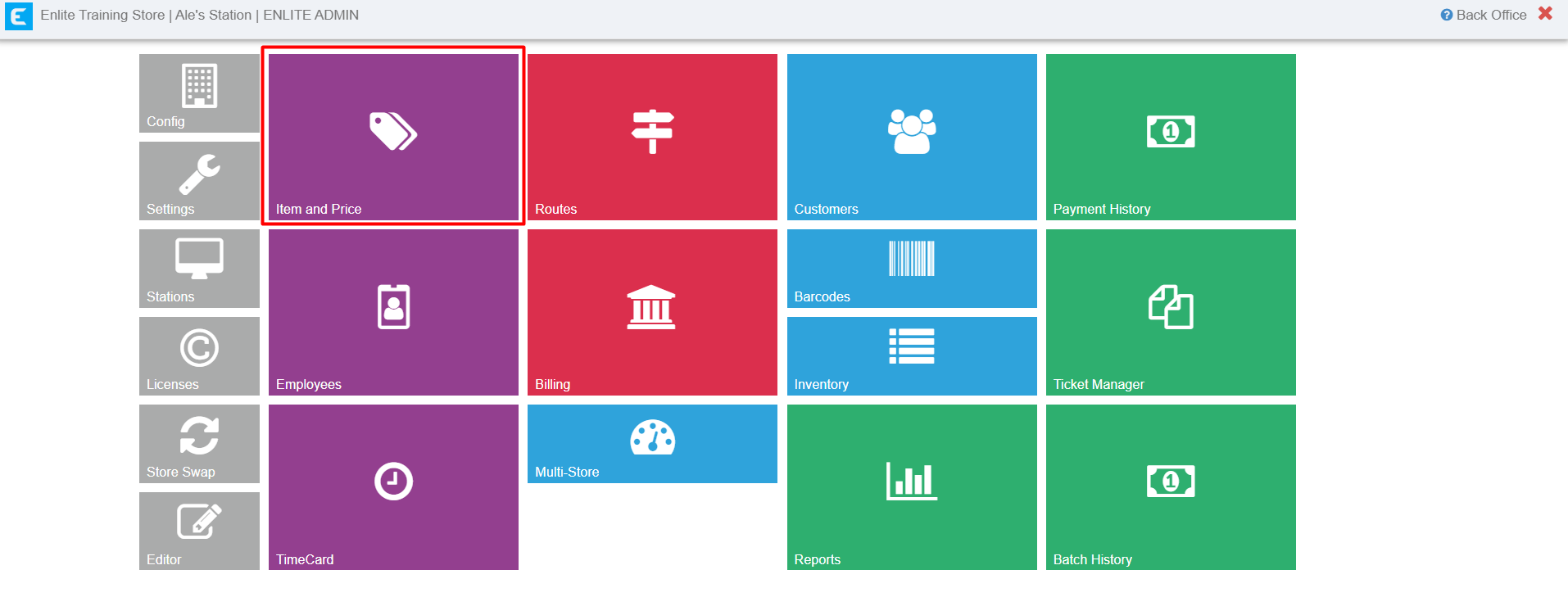
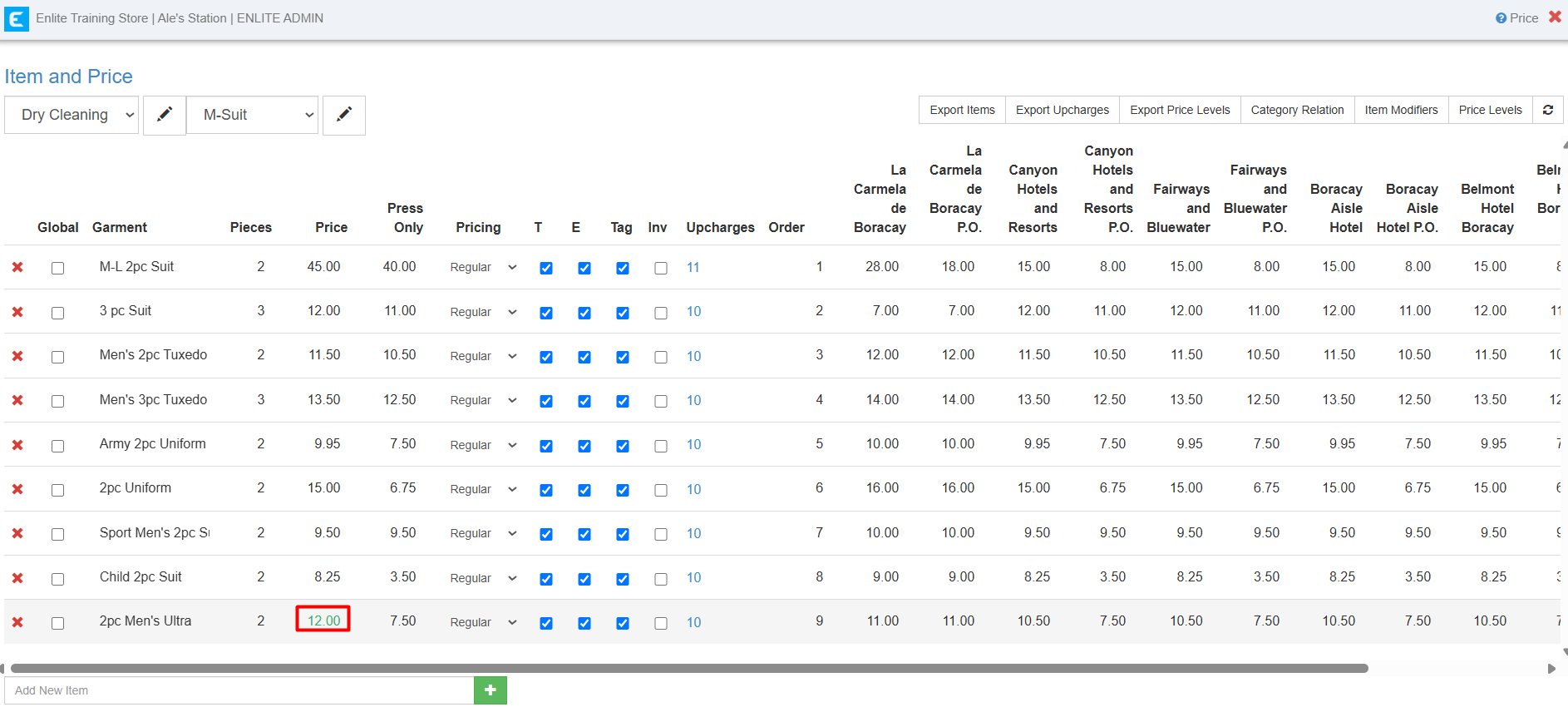
Click Item and Price
-
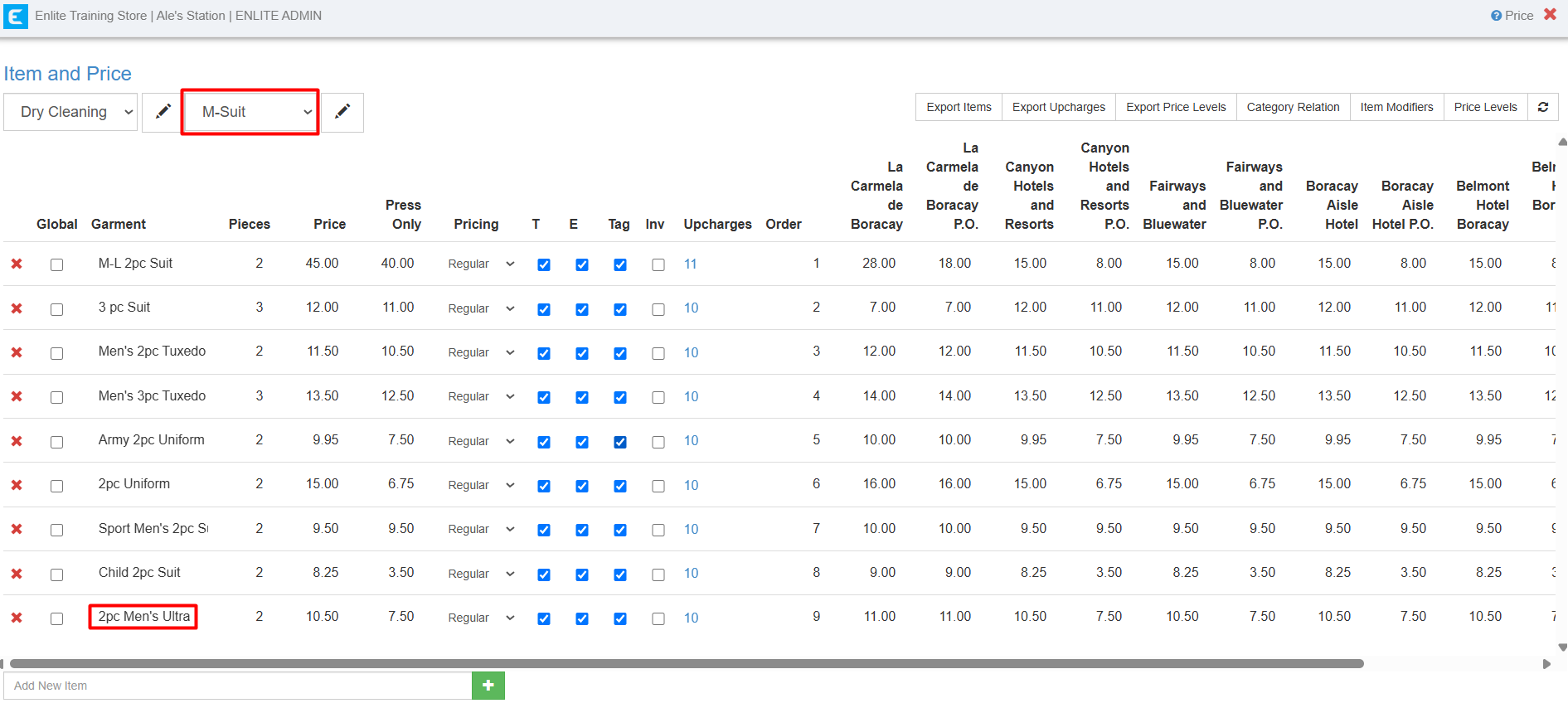
Select Category and Item to change
-
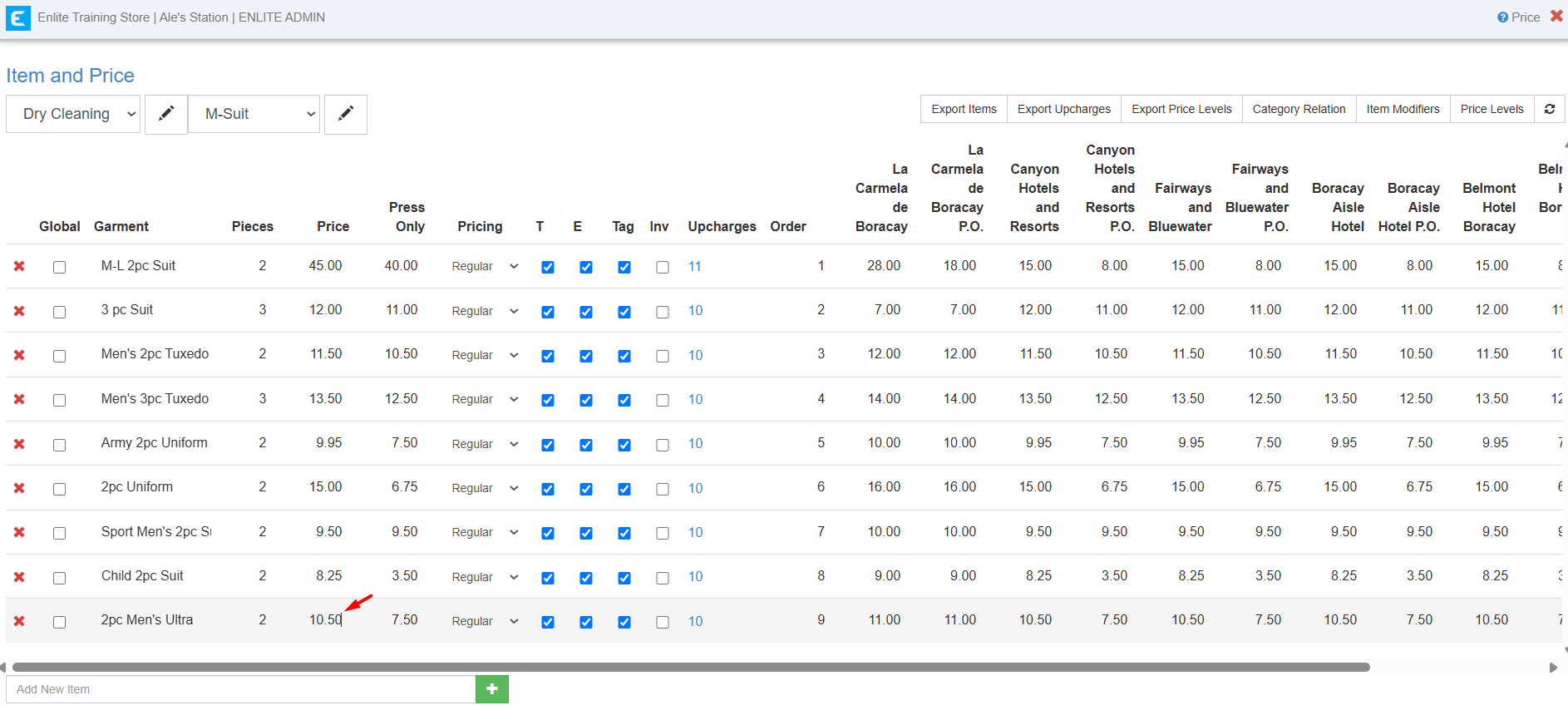
Select the price and add the new one
-
The price numbers will automatically turn green once the changes have been successfully saved.
-
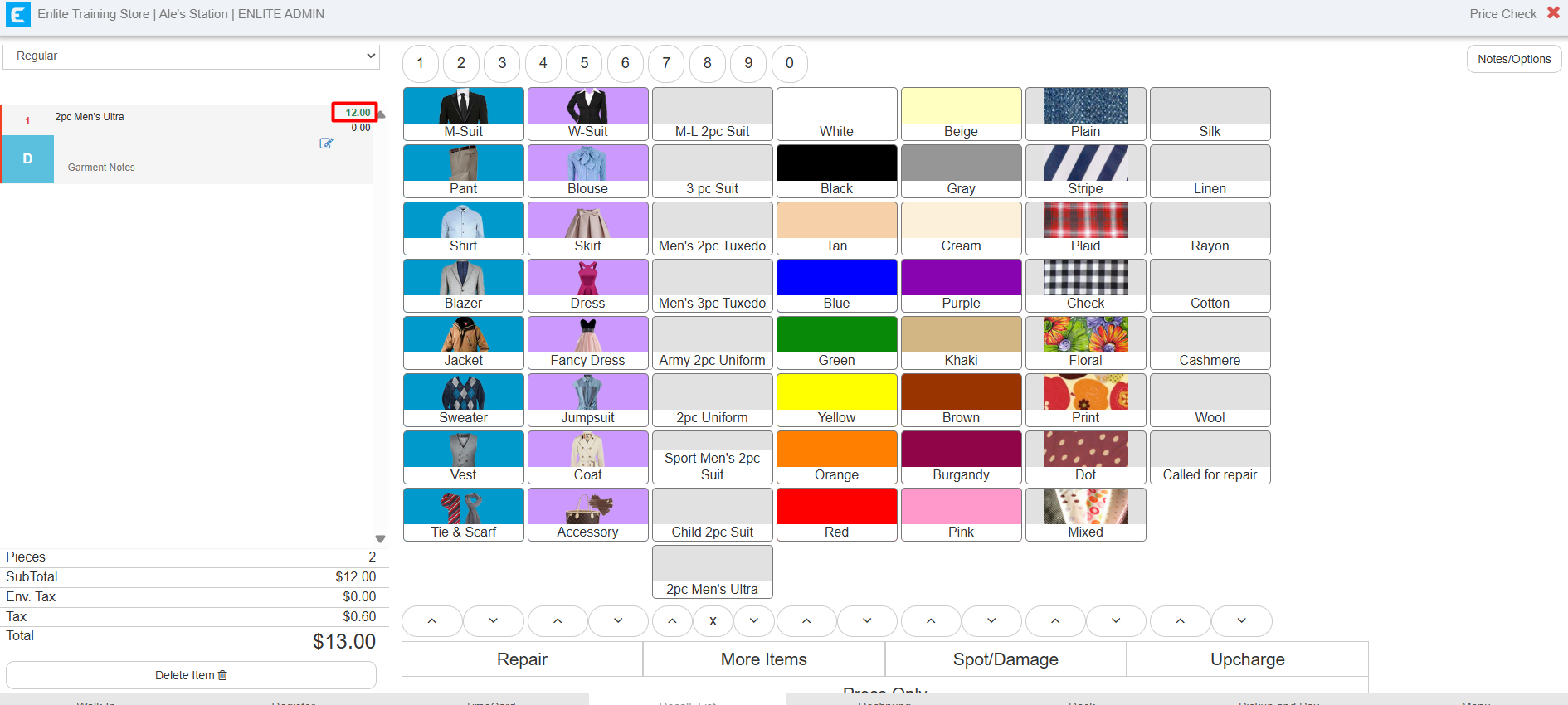
You can also double-check the updated price by adding the item/s on invoice.
How to Change Price of Item/s
Last updated on Sep 01, 2026